Assignment details
Tap or click any assignment block to open its details.
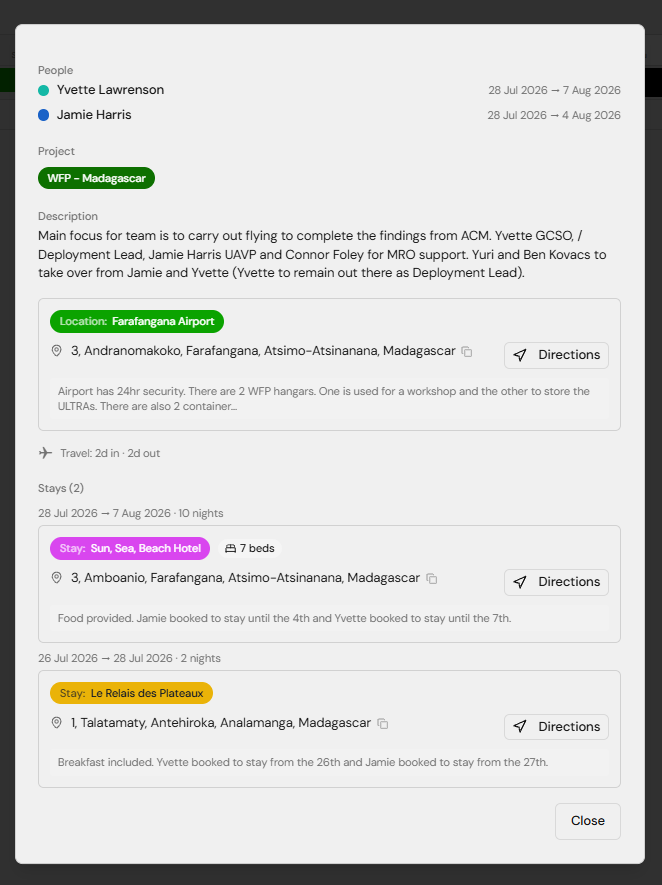
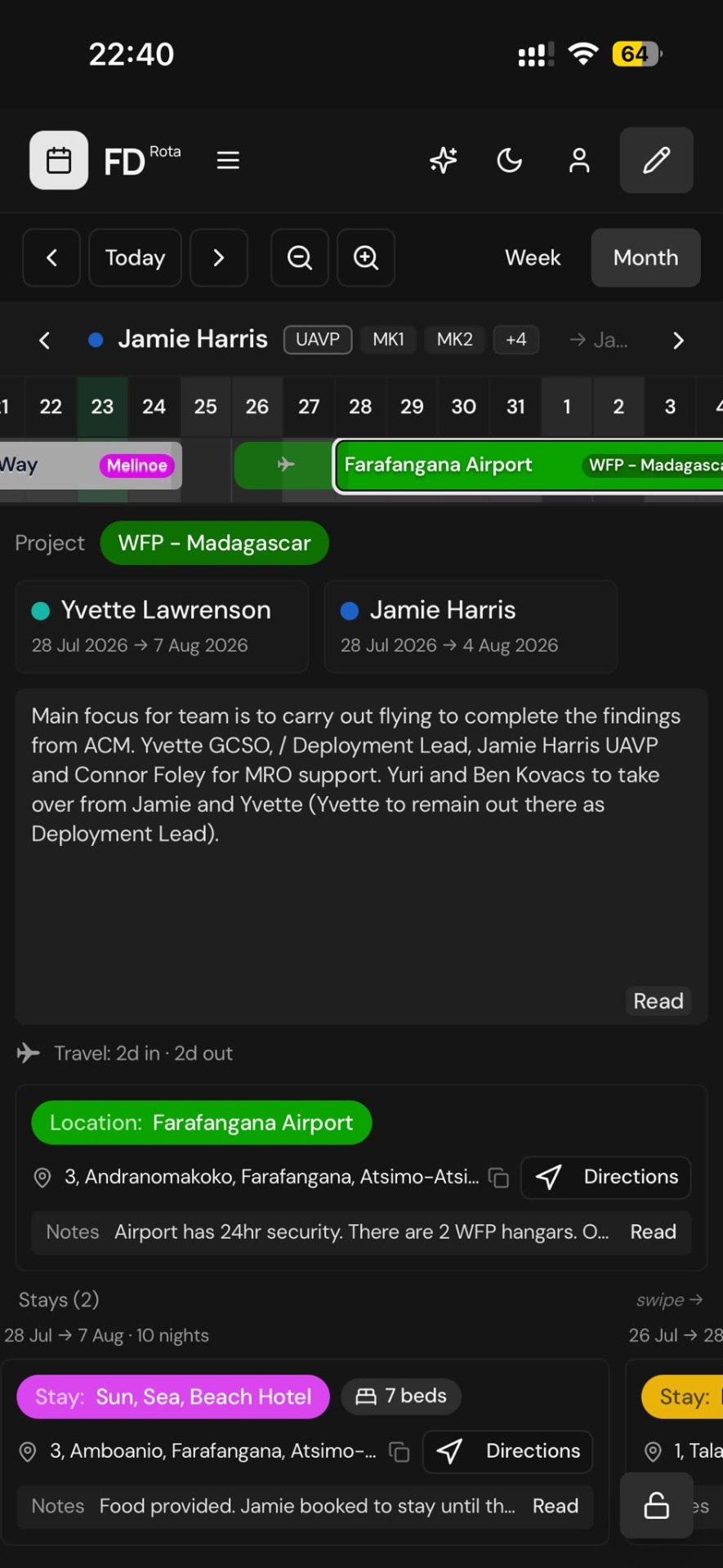
What's inside
- Location — where you'll be, with the site address.
- Project — the project pill (e.g. WFP – Madagascar).
- People — everyone assigned, with the date range on the right.
- Description — the main brief for the assignment.
- Notes — extra context (kit, timings, contacts).
- Accommodation — where you're staying, with its own address.
Handy interactions
- Tap an address to copy it to your clipboard. A confirmation appears briefly.
- Directions buttons open Google Maps in a new tab.
- Description / Notes on mobile are trimmed to a couple of lines with a Read pill — tap the text or the pill to open the full-screen reader.
- Close with the × in the corner, or by tapping outside the panel on desktop.

Read state
The first time you open an assignment, it's marked as read. Unread assignments have a subtle highlight so you can spot new items at a glance.
Next: Notifications.